Actionstep Legal Accounting offers live training courses through Actionstep Academy. You can sign up for these classes to learn skills that can help you use Legal Accounting.
NOTE: When signing up for and attending these courses, please sign in to Actionstep Academy at least five minutes prior to start of class. If no one has signed in by 10 minutes after class start, the class will be cancelled. If you are having issues, please email training@actionstep.com as soon as possible.
Before you begin:
- If you do not have an Actionstep Academy account, register for one. You can do this by going to https://academy.actionstep.com/users/sign_in and clicking Register now.
To access Actionstep Legal Accounting Academy:
- Navigate to https://academy.actionstep.com/users/sign_in.
- Enter your sign-in credentials.
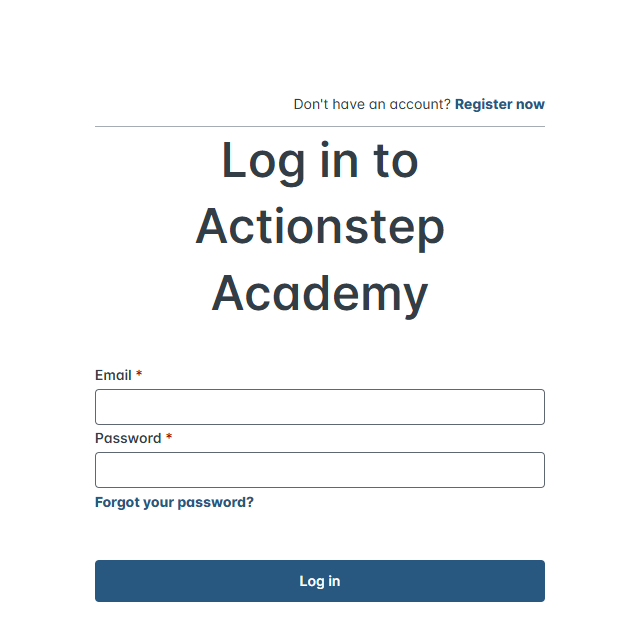
- Click Log In.
- Click Catalog in the main navigation bar.
- In the Explore your learning options section, find the course titled Actionstep Legal Accounting Live Training Sessions. You can use the search options at the top of this section to find this more quickly.
- Hover over the tile for this course and click View content details. Information about the course is displayed.
- Click the Live learning tab.
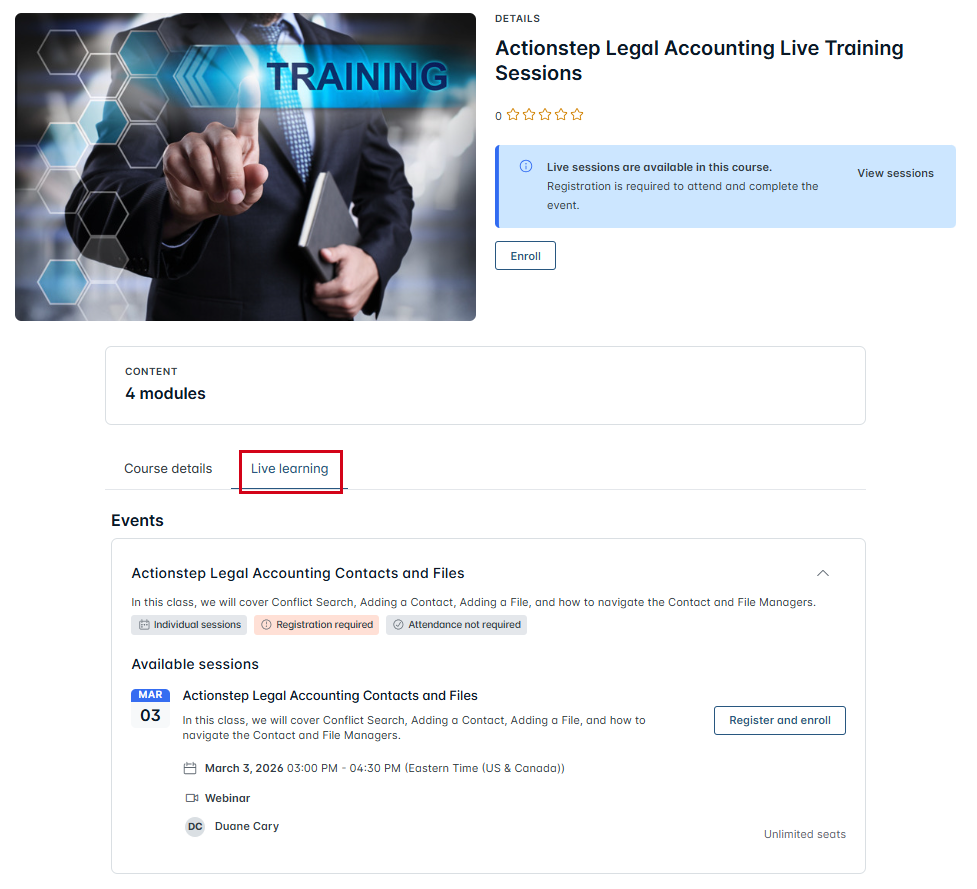
- In the list of Events, find the course you want to attend and click Register and enroll.
You will be registered for the class and receive an confirmation email.
Was this article helpful?
That’s Great!
Thank you for your feedback
Sorry! We couldn't be helpful
Thank you for your feedback
Feedback sent
We appreciate your effort and will try to fix the article