This guide explains how customers can reach support.
Reaching a Live Support Agent
If you start a chat, it's automatically connected to Scout, our AI chat-bot but if you want to reach a live support again, for as long as it is during the live-chat hours (Monday–Friday, 9am–4pm and 5pm–6pm ET):
Simply type: "Live Agent" and you will be immediately transferred to a real support agent.
If Chat will not Start Inside the System
If the chat icon does nothing or does not open while logged in, please try these steps:
Log out of Legal Accounting.
Go to the login page.
Click the chat icon there.
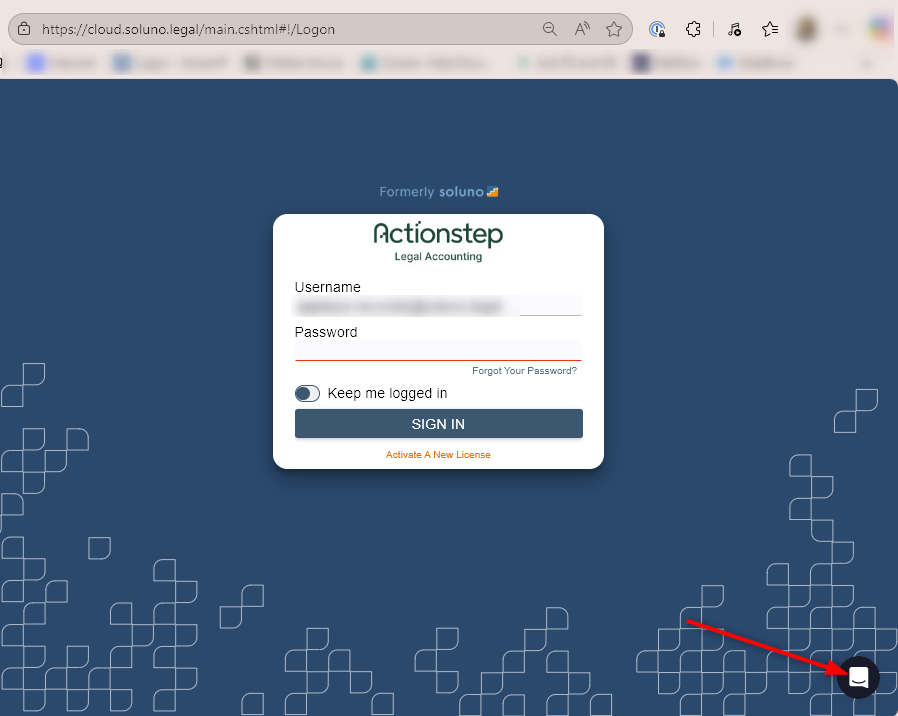
This starts a new chat session outside the app. From there, support can start a screen-share and help fix the issue once you log back in.
If Chat is still Unavailable
Please reach out to support through:
Email: support@soluno.legal
Support Portal: Submit a ticket in the Legal Accounting support portal
This ensures they always have a way to get help, even if chat is not working.
Was this article helpful?
That’s Great!
Thank you for your feedback
Sorry! We couldn't be helpful
Thank you for your feedback
Feedback sent
We appreciate your effort and will try to fix the article