The Law Society of Alberta (LSA) sets rules and standards to ensure trust funds are handled safely and in the public interest. Firms must designate a Responsible Lawyer who is approved to open, operate, and maintain the trust account and who is responsible for Trust Safety reporting.
Important Note About Trust Safety Reports
Running a Trust Safety Report locks the accounting entries, similar to a Bank Reconciliation or GST/HST report.
Even running a “Preview” will lock the entries.
After generating a Preview:
Save the PDF immediately
Delete the Preview to avoid unnecessary locks
Identify the Responsible Lawyer
You must assign the Law Society Responsible Lawyer in the User Profile.
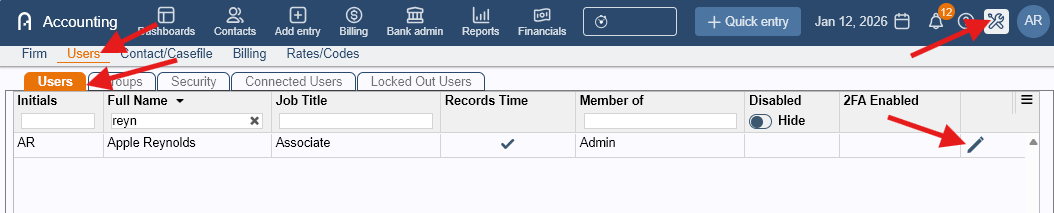
- Go to Admin > Firm > Users > Users tab.
- Edit the user of the Responsible Lawyer using the pen icon.
- Open the Associations subcategory
- Enter the Law Society Number
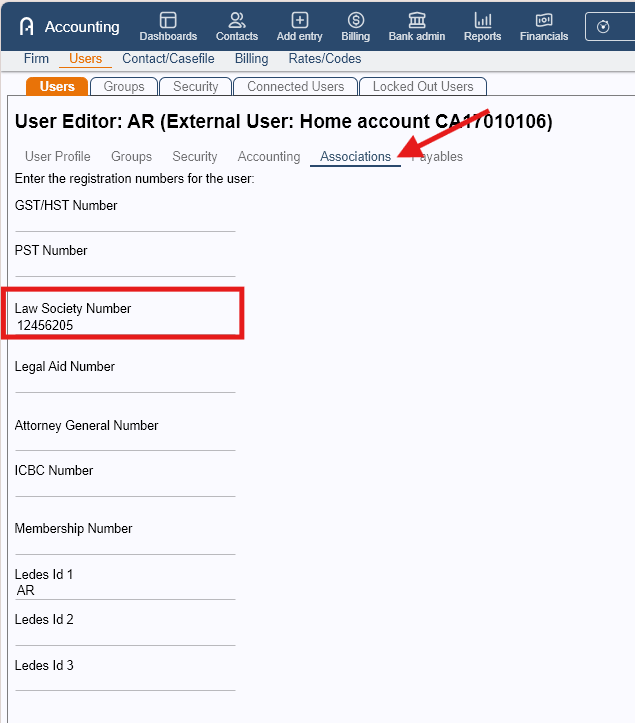
- Click Save
Configure Alberta Provincial Settings
You must define the Law Society website and Responsible Lawyer initials.
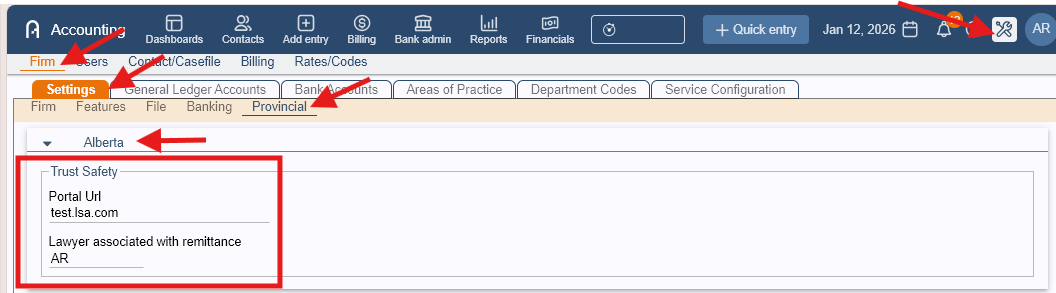
- Go to Admin > Firm > Settings > Provincial tab.
- Select the Alberta section
- Enter:
- Law Society website URL
- Responsible Lawyer initials
- Click Save.
Set the Trust Safety Reporting Period
To generate and close a Trust Safety period:
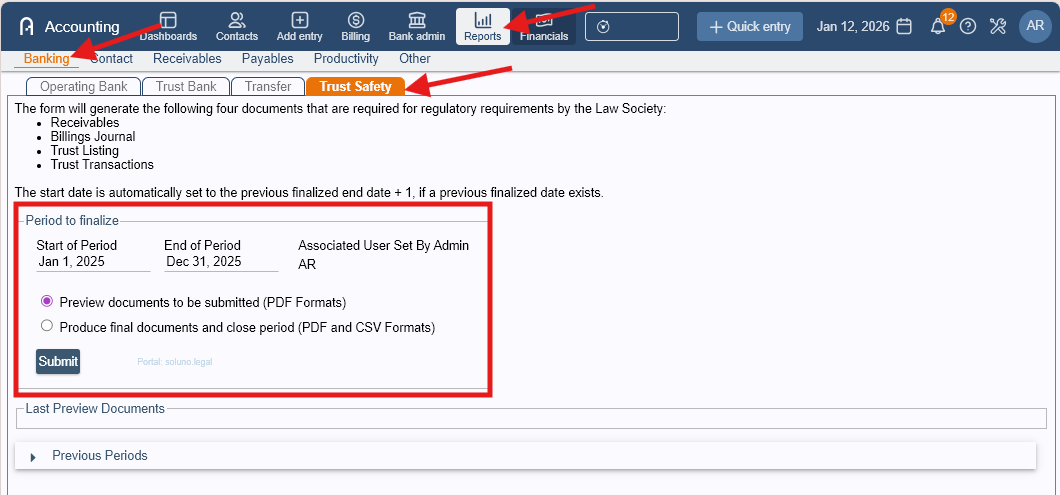
- Go to Report > Banking > Trust Safety tab.
- Enter the Start Date and End Date for the Trust Safety period
- Confirm the Responsible Lawyer initials (auto-filled)
- Review the Law Society website link (shown in light blue and clickable)
Generate the Reports
Option A: Preview Only
Click “Preview documents to be submitted”
Use this option to review reports
Remember: Preview still locks entries
Option B: Final Submission (Close the Period)
Click “Produce final documents and close period”
Click Submit
An information message will appear indicating the report may take time to generate
After Submission
The closed Trust Safety report will appear in Previous Periods
The next reporting period start date will automatically display in Period to Initialize
Was this article helpful?
That’s Great!
Thank you for your feedback
Sorry! We couldn't be helpful
Thank you for your feedback
Feedback sent
We appreciate your effort and will try to fix the article