If you need to create a journal entry, please follow these steps:
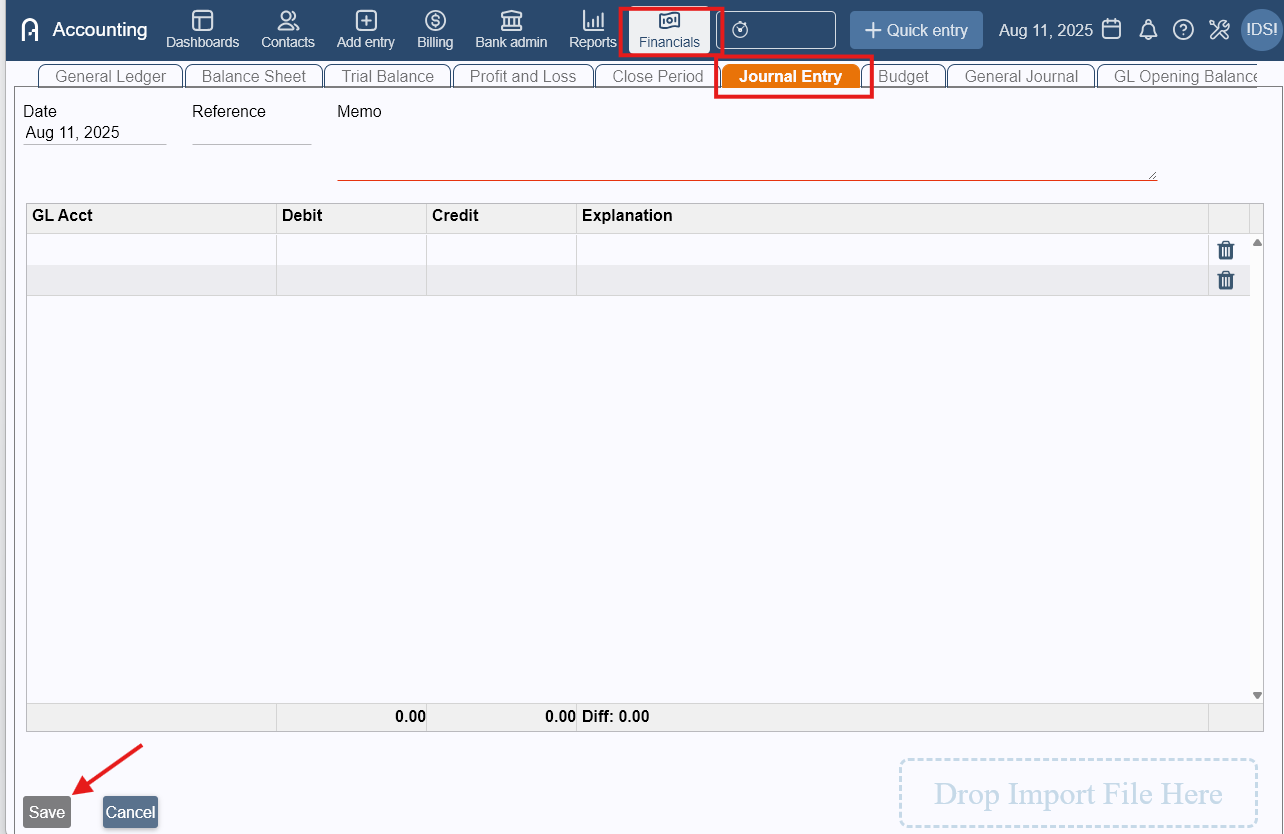
- Go to Financials > Journal Entry tab.
- Set the date, reference and memo.
- Fill in the GL accounts that need to be debited or credited.
- (Optional) You can also import a .csv file of your journal entries.
- Click Save.
Be wary of posting to control accounts. If you attempt to post to one, you will see the following message appear:
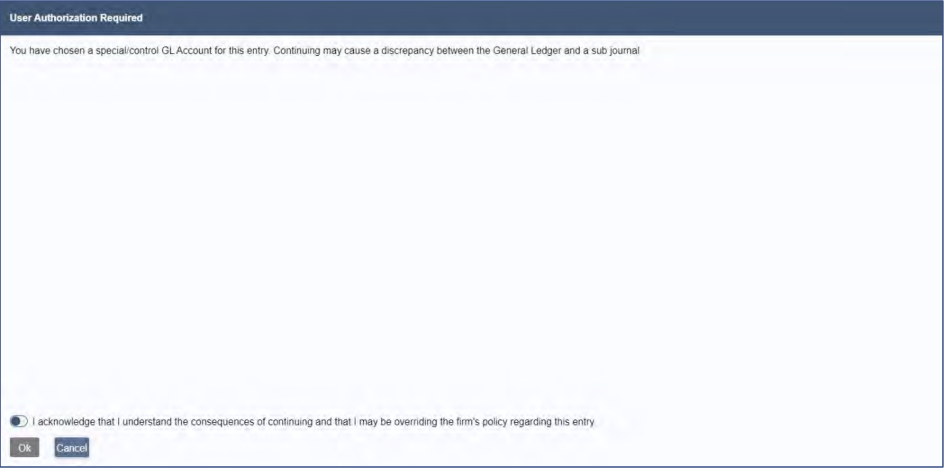
Although you could override and still post the entry, it is not recommended to do so. If
you do, though the General Ledger will update correctly, any journals associated with the
GL accounts you are posting to will not. This will mean you won’t be able to reconcile the
General Ledger with the associated journals.
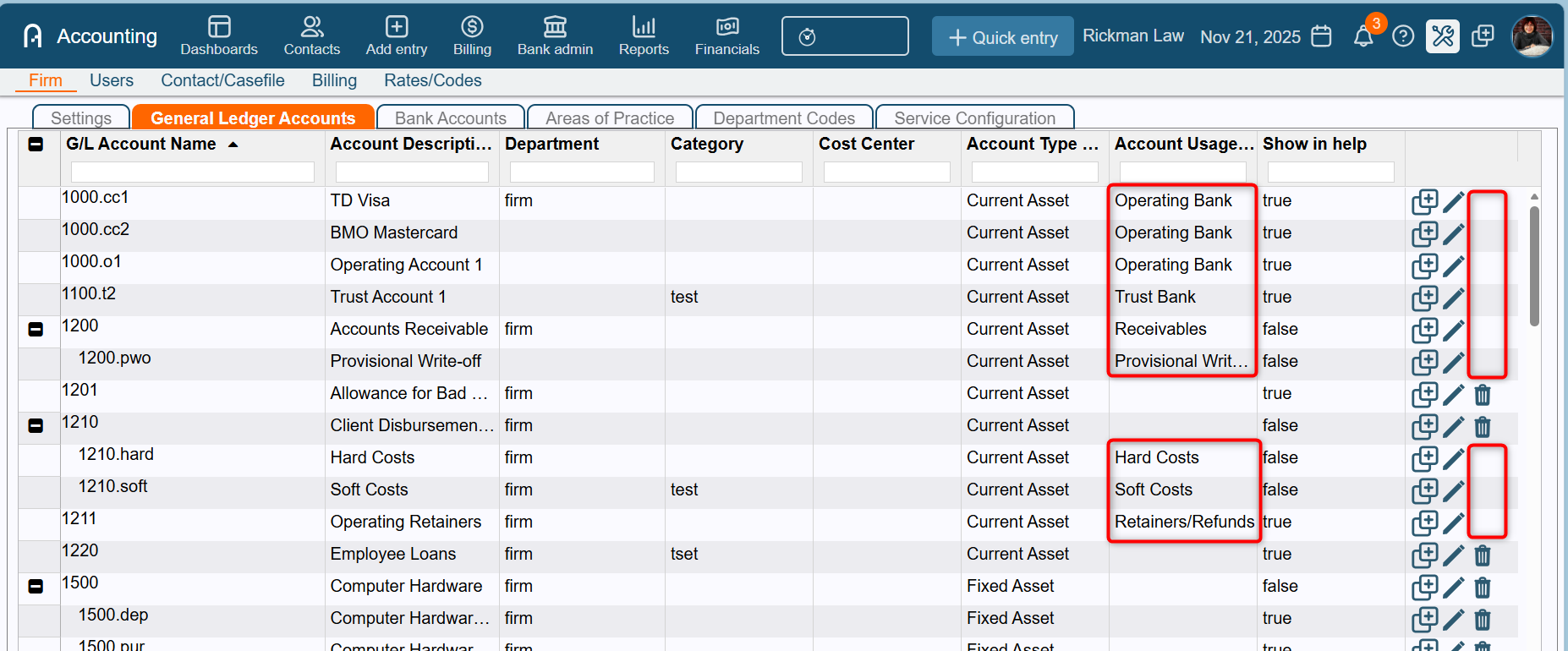
To see which General Ledger accounts are considered control/special accounts, you can
check the list of accounts by going to Admin > Firm > General Ledger Accounts.
While looking at the list, check the column header ACCOUNT
USAGE TYPE . If there is something listed in the column, then this account is a control
account and should not have manual entries made to it. Contact support if you have any
questions. Additionally, control accounts will not have a trashcan icon to the right side of the screen, as they are not able to be closed, whereas the non-control accounts can.
If an unneeded entry was made, you will be able to delete the entry from the General Journal by clicking the delete icon.
Al
Was this article helpful?
That’s Great!
Thank you for your feedback
Sorry! We couldn't be helpful
Thank you for your feedback
Feedback sent
We appreciate your effort and will try to fix the article